What is a pipeline?

A pipeline is a markdown file in api-docs/flows/ that chains endpoint specs into sequential or parallel steps. Each step can capture values from a response and inject them as variables into later steps auth tokens, resource IDs, pagination cursors, and anything else extracted from a live response.
Create user ── capture response.body.id as userId

Login ── inject userId, capture response.body.token as authToken

Get profile ── inject userId and authToken
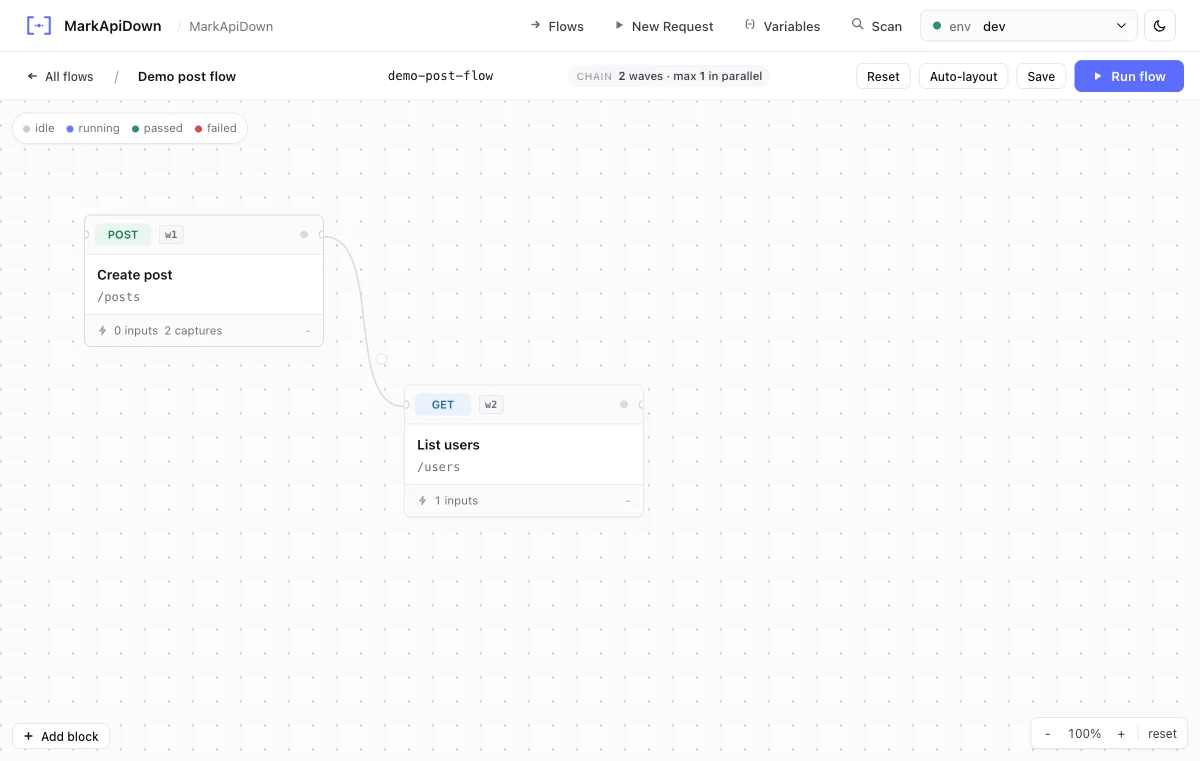
You can write this markdown by hand, ask an agent to create it, or design it visually in the Web preview flow canvas.

Pipeline frontmatter

Pipeline files use the same frontmatter delimiter as endpoint files, with a required type: pipeline field.
---
type: pipeline
name: user-onboarding
description: Create a user, log in, and pair a device.
continue-on-error: false
parallel: false
---
FieldRequiredTypeDescriptionDefault
typeyesstringMust be pipeline
nameyesstringStable pipeline name used in CLI output and reports
descriptionnostringHuman-readable summary shown in web preview and reports
continue-on-errornobooleanKeep running after a failed stepfalse
parallelnobooleanRun independent steps concurrentlyfalse

Step syntax

Steps are a numbered ordered list under ## Steps. Each item names the step and points to an endpoint file path relative to api-docs/.
## Steps

1. **Create user**`apis/users/create-user.md`
 - Capture: `response.body.id` as `userId`
2. **Login**`apis/users/post-login.md`
 - Inject: `userId`
 - Capture: `response.body.token` as `authToken`
3. **Pair device**`apis/devices/post-pair.md`
 - Inject: `authToken`, `userId`
 - Assert: `response.status == 201`

Step directives

Extract a value from the response and save it as a named variable for use in all subsequent steps.
- Capture: `response.body.id` as `userId`
- Capture: `response.body.token` as `authToken`
- Capture: `response.headers.x-request-id` as `requestId`
- Capture: `response.body[0].id` as `firstItemId`
- Capture: `response.body.items[2].sku` as `thirdSku`
Supported capture expression patterns:
PatternExampleWhen to use
response.body.<field>response.body.idSimple top-level JSON field
response.body.<a>.<b>response.body.data.tokenNested JSON field
response.body[<n>].<field>response.body[0].idField from the nth item in a JSON array
response.body.<a>[<n>].<field>response.body.items[0].skuNested array item field
response.headers.<name>response.headers.LocationResponse header value
Use JSONPath-style dot notation for JSON responses. Captured values have the highest variable priority and override all other sources for all later steps in the pipeline.

Sequential vs parallel execution

Steps run in the order they appear in the ## Steps list.
  • If continue-on-error: false (the default), the pipeline stops at the first failing step and reports which step failed.
  • Captured values are available to all steps that appear after the capturing step.
  • Use sequential pipelines whenever later steps depend on the results of earlier ones which is true for most real-world flows.

Running a pipeline

rqb serve
Open the flow canvas, select a flow, run it, and inspect each step result. Use the canvas when you are designing captures and connections.Flow canvas with endpoint blocks and connections

Complete example

---
type: pipeline
name: user-onboarding
description: Create a user, log in, and verify the profile.
continue-on-error: false
parallel: false
---

# User onboarding

End-to-end flow from account creation to profile verification.

## Steps

1. **Create user**`apis/users/post-users.md`
 - Capture: `response.body.id` as `userId`
2. **Login**`apis/users/post-login.md`
 - Inject: `userId`
 - Capture: `response.body.token` as `authToken`
3. **Get profile**`apis/users/get-user-by-id.md`
 - Inject: `authToken`, `userId`
 - Assert: `response.status == 200`
Keep pipeline files short and focused on one user journey. A pipeline that tests ten unrelated things is harder to debug when step 7 fails. Prefer one pipeline per scenario.