Quickstart
This path is for a developer who wants Reqbook working with a coding agent and a browser UI in a few minutes. The terminal is still there for automation, but it is not the only interface.
1. Install Reqbook
Shell installer
Cargo
npm wrapper
curl -fsSL https://markapidown.net/install.sh | sh
Verify the install:
2. Create a project
mkdir my-api && cd my-api
rqb init --name=my-api --dev-url=https://jsonplaceholder.typicode.com --yes
Reqbook creates:
api-docs/
├── README.md
├── reqbook.md
├── _shared/
│ ├── env.template.md
│ └── env.md
├── apis/
│ └── posts/
│ └── get-posts.md
└── flows/
.gitignore
The generated endpoint uses JSONPlaceholder, so it can run immediately.
The generated .gitignore includes .env.local and api-docs/_shared/env.md, while api-docs/_shared/env.template.md stays commit-ready for new contributors.
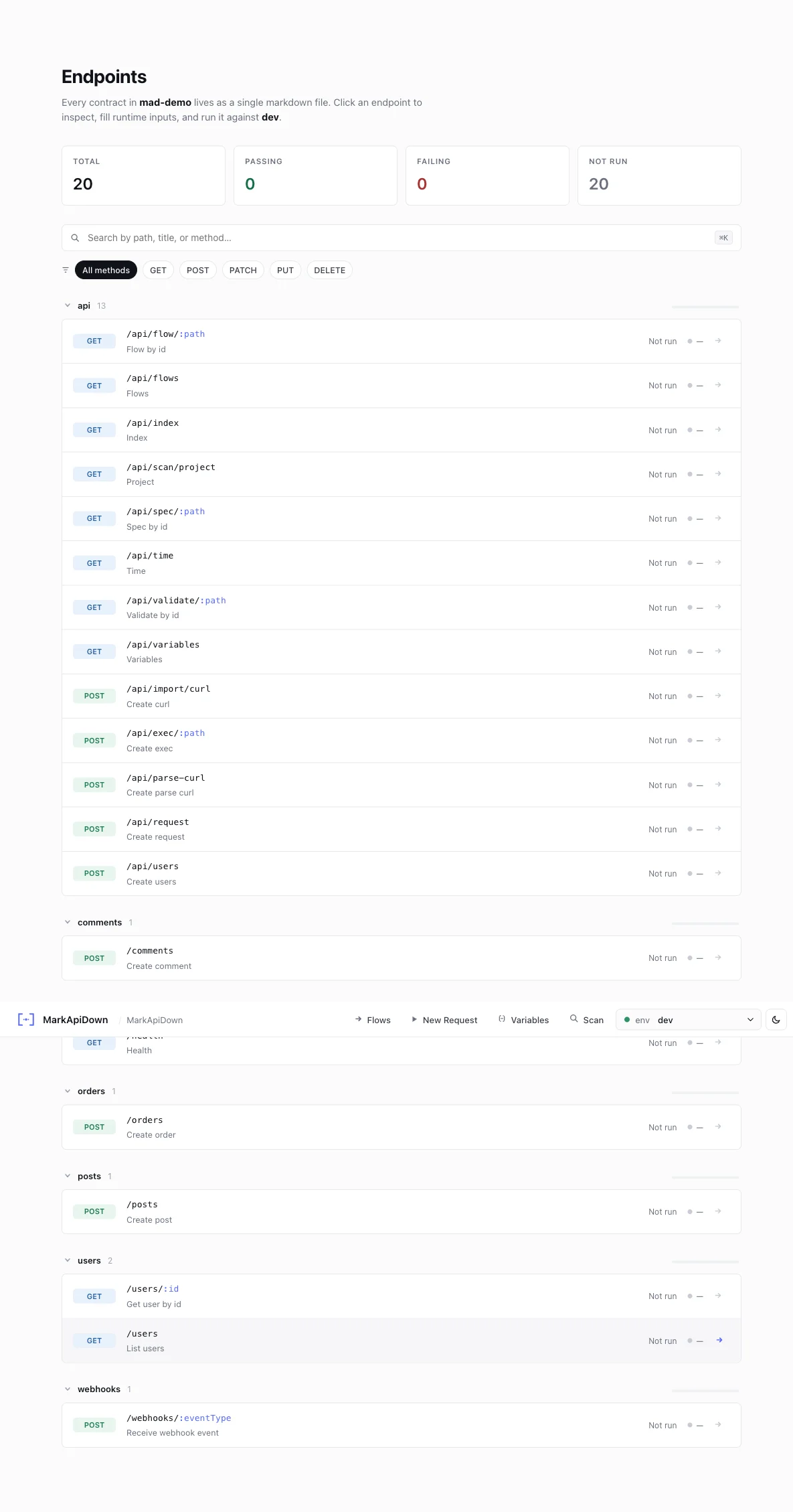
3. Open the web UI
Open http://127.0.0.1:8080.
Use the browser UI to:
browse endpoint files,
switch environments,
fill path params such as postId,
add runtime-only headers or body overrides,
run requests and inspect formatted responses,
import an endpoint from cURL,
open the flow canvas.
Runtime fields in the request builder are temporary. They do not change markdown files unless you switch to edit mode and save.
4. Run the same spec from the terminal
rqb exec api-docs/apis/posts/get-posts.md --env=dev
Expected output:
GET https://jsonplaceholder.typicode.com/posts/1
status: 200
duration: 180ms
Dry-run shows the resolved request without sending it:
rqb exec api-docs/apis/posts/get-posts.md --env=dev --dry-run
GET https://jsonplaceholder.typicode.com/posts/1
status: DRY RUN
duration: 0ms
headers:
accept: application/json
5. Install agent skills and MCP
rqb skills install
rqb install mcp
Or choose one agent:
rqb skills install --agent=claude-code
rqb install mcp --agent=claude-code
rqb skills install --agent=cursor
rqb install mcp --agent=cursor
rqb skills install --agent=copilot
rqb install mcp --agent=copilot
Now you can ask your coding agent:
Use rqb_context with mode=surgical, brief=true, max_fields=6, then add a Reqbook spec for GET /users/:userId and validate it.
Or:
Create a flow that gets a post, captures userId, then gets that user.
6. Validate before commit
Commit the markdown files, not hidden app state.
Next steps
VS Code extension Preview, validate, run, and inspect specs from your editor.
Set up agent support Install skills, slash commands, and MCP for supported coding agents.
Web preview Learn the browser UI: request tweaks, mock mode, cURL import, flow canvas.
Vibe coding guide Patterns for using Reqbook as the API layer in your agent loop.