
Browser UI for markdown API specs.
rqb serve starts a local browser workspace over the markdown files in api-docs/. It is designed to sit beside your editor and coding agent: agents can write files, you can inspect and run them visually, and everything stays in sync through the filesystem.
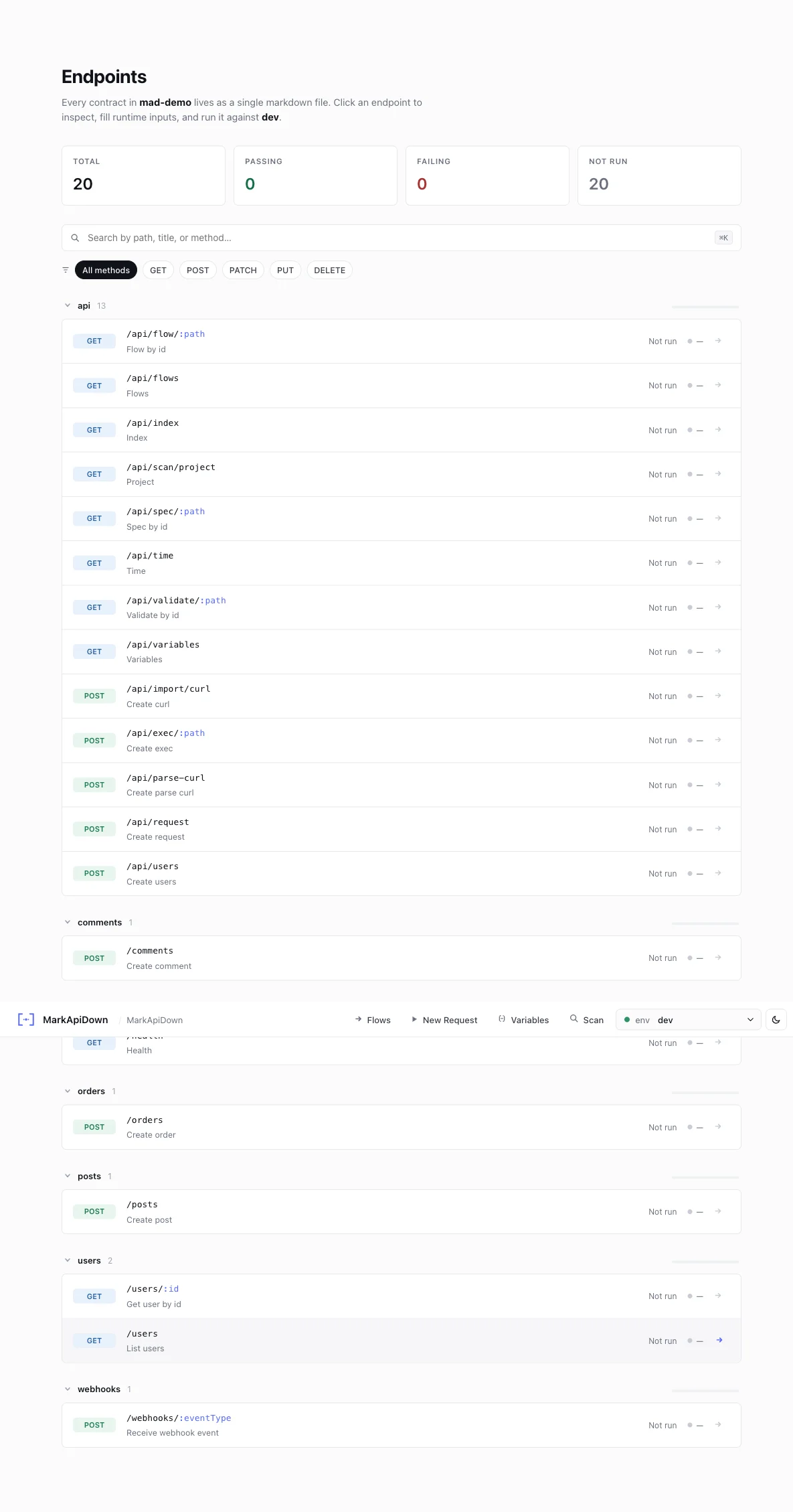
Reqbook binds to
127.0.0.1 by default. Use --host=0.0.0.0 only when you intentionally want to share the preview on your local network.Why use the UI?
The CLI is great for CI and automation. The UI is better when you are actively designing, debugging, or reviewing specs.Runtime request builder
Add path params, variables, headers, and body overrides for one execution without changing the markdown file.
Response inspection
Inspect formatted response body, headers, raw output, duration, and diff against the expected response.
Markdown edit mode
Switch to edit mode when you want to persist a spec change. Save writes the markdown file back to disk.
Flow canvas
Design workflows visually by connecting endpoint blocks, captures, and injections. The result is saved as
api-docs/flows/*.md.cURL import
Paste a cURL command from DevTools and generate a Reqbook endpoint spec.
Agent review loop
Keep the UI open while your agent edits specs. Review and run the changed files immediately.
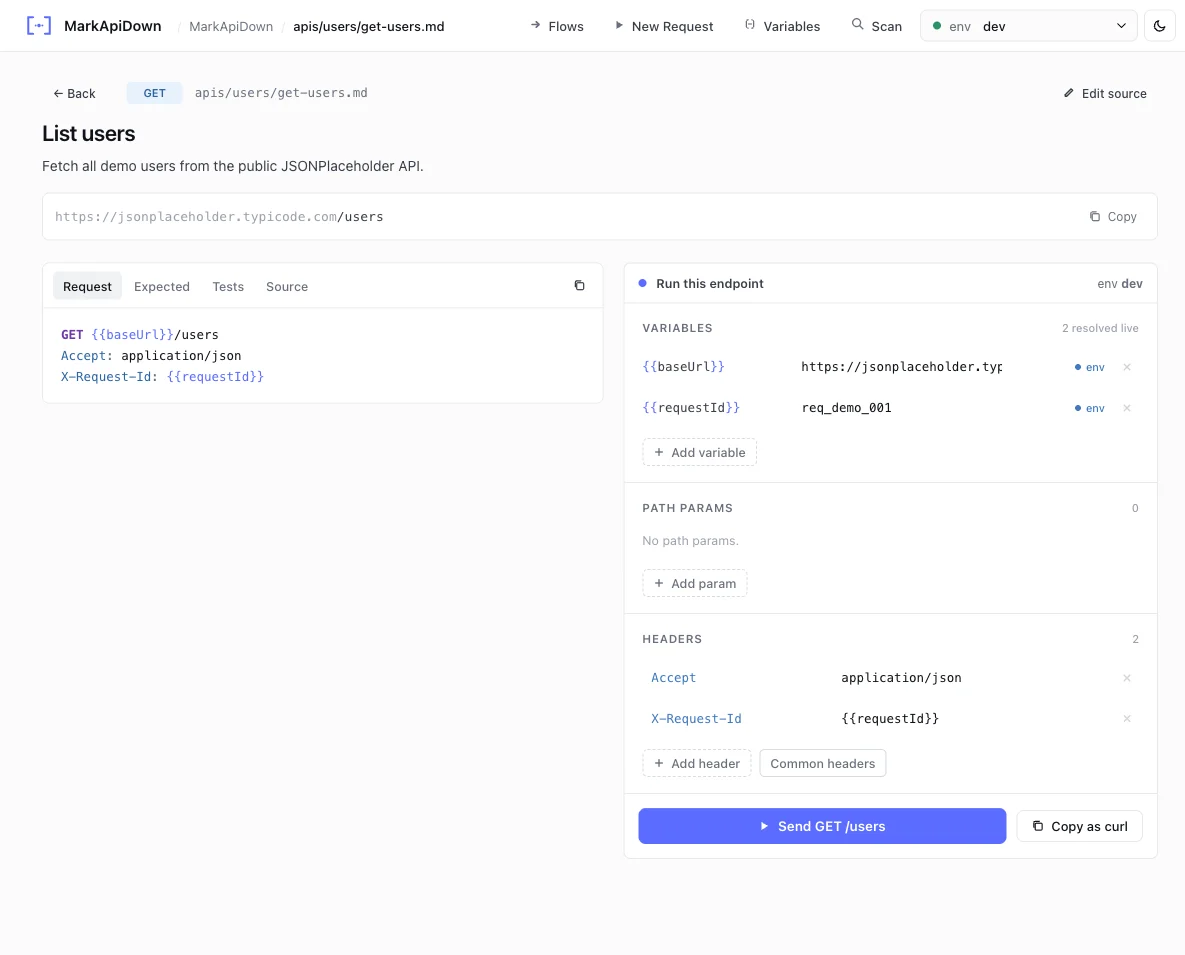
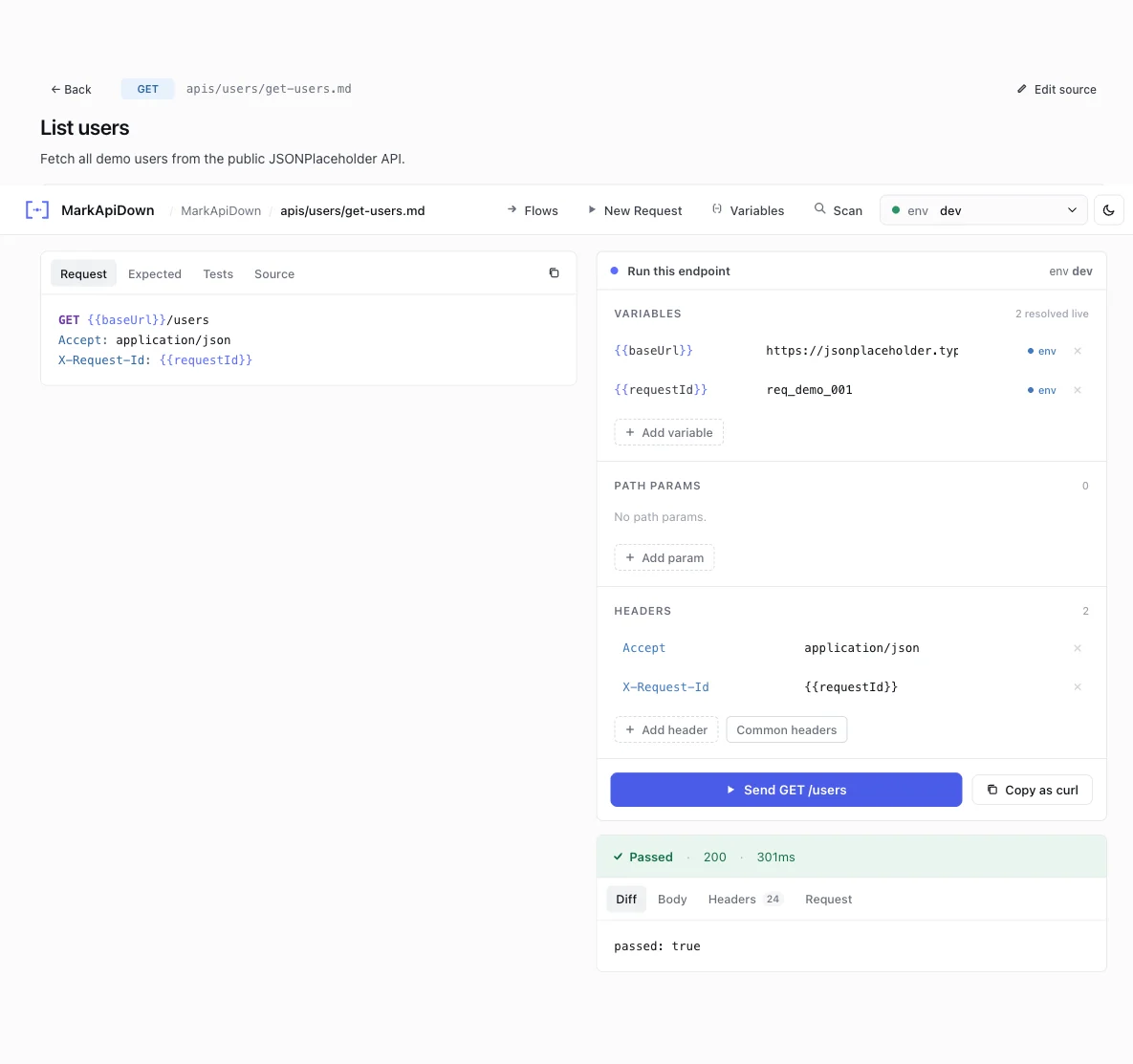
Request tweaks do not rewrite markdown
The request builder is intentionally temporary:
This lets you try an ID, token, header, or body shape without accidentally modifying the canonical spec. When a runtime tweak should become permanent, switch to edit mode and save the markdown.
Flow canvas
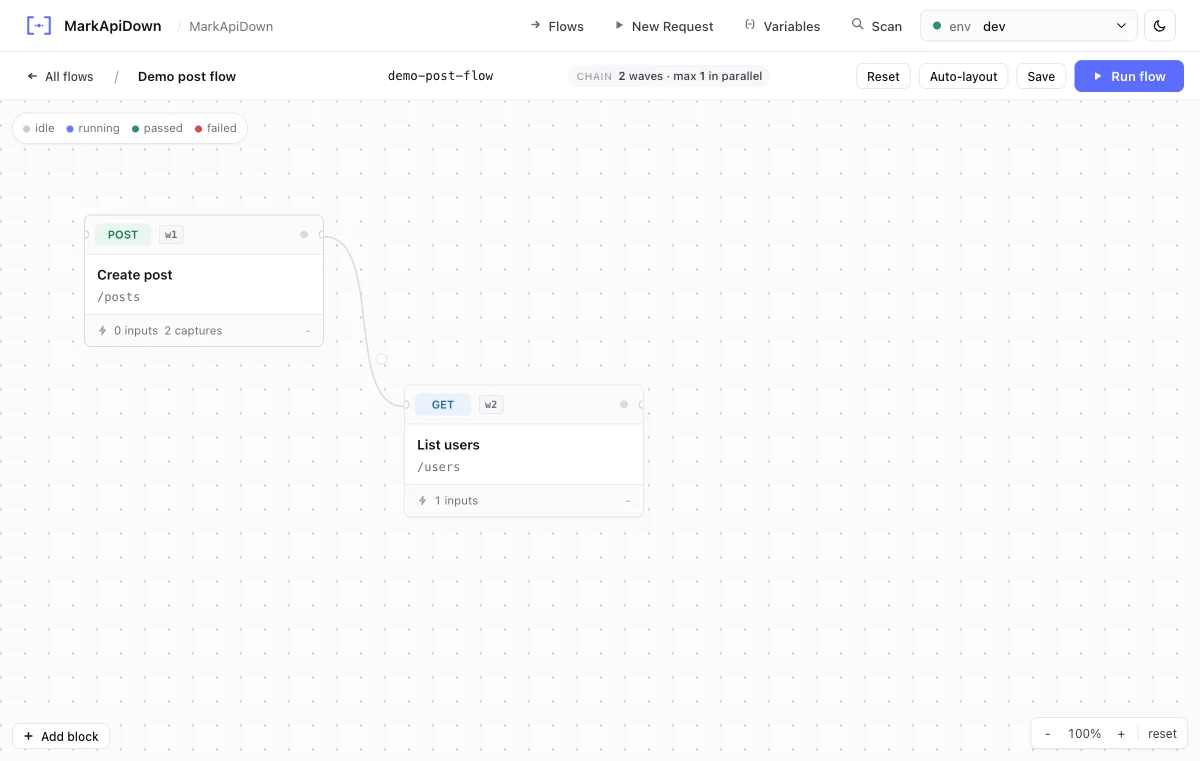
api-docs/flows/.
Use it to:
- add endpoint nodes,
- connect one endpoint result to another endpoint input,
- capture values such as
response.body.idorresponse.body[0].id, - inject captured variables into downstream nodes,
- save the workflow as markdown.
Environment and variables
The UI readsapi-docs/_shared/env.md for local non-secret environment values. If that file is missing, the Variables drawer starts from api-docs/_shared/env.template.md and lets you create the local file:
.env.local or RQB_* for secrets. Reqbook masks auth values in UI responses and reports.
Common workflow with an agent
1
Agent creates or updates specs
Ask your agent to add endpoint specs or scan the project for missing routes.
2
UI refreshes from disk
Open
rqb serve and inspect the new files in the sidebar.3
Run with temporary inputs
Fill runtime-only params and headers, click Run, and inspect the response.
4
Persist only intentional changes
If the spec needs correction, use edit mode or ask the agent to update the markdown and validate again.
Mock mode
Start the preview with--mock when the real backend is unavailable during frontend development, on an airplane, or before the API exists:
- Clicking Send returns the
## Expected responserecorded in the spec file. No HTTP request is made. - A purple MOCK badge appears on every response card so you always know you are looking at recorded data, not a live response.
- A mock chip appears in the top navigation bar while mock mode is active.
- Path parameters such as
/users/:idare matched automatically any ID value returns the same recorded body.
## Expected response blocks that rqb mock uses on the standalone mock server. Both features share the same source of truth.